
Monday Kids Wristband Heart Rate Measurement Module Heart Rate Monitor Heartbeat Pulse Sensor for Arduino
$22.00
Availability:
In stock
SKU
RY-ES-396
Payment Security

We are PayPal Verified
PayPal is a secure and trusted payment processing service that allows you to shop online. PayPal can be used at mondaykids.com to purchase items by Credit Card (Visa, MasterCard, Discover, and American Express), Debit Card , or E-check (i.e. using your regular Bank Account).
- Brand Name: Monday Kids
- Material: Mixture
- Type: Biosensor
- Theory: Optical Sensor
- Usage: Consumption Sensor
- Output: Analog Sensor
- Model Number: Blood Oxygen Sensor Module
- is_customized: Yes
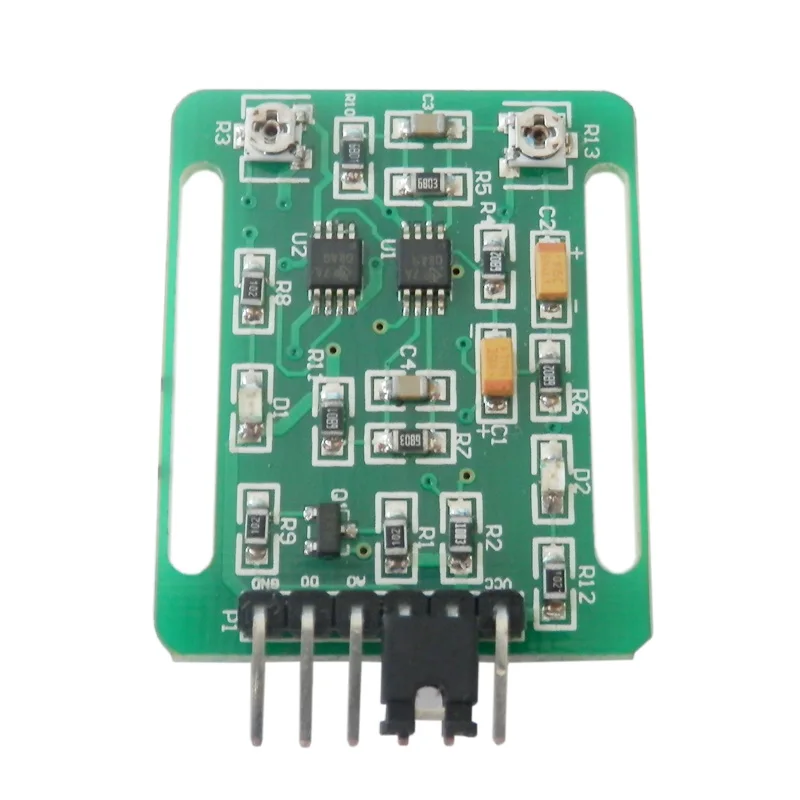
Wristband Heart Rate Measurement Module Heart Rate Monitor Heartbeat Pulse Sensor for Arduino
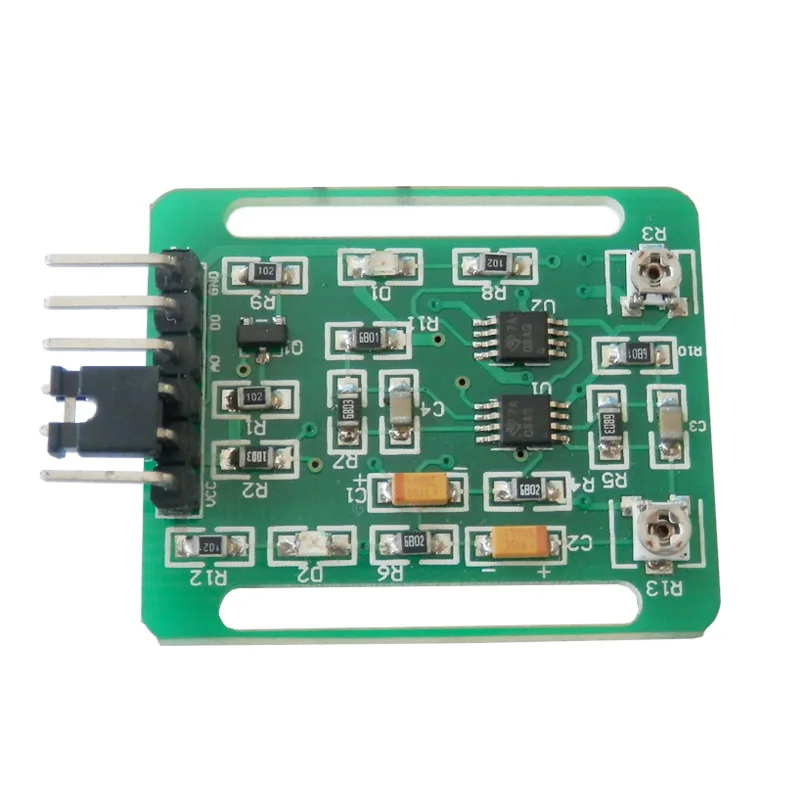
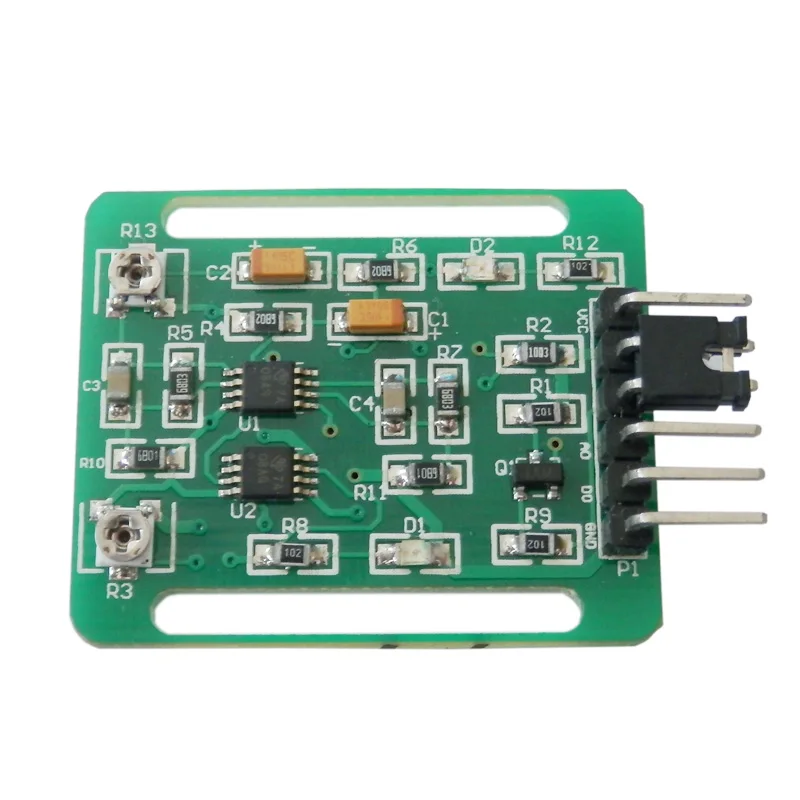
1. Module input voltage 3.3V—5V
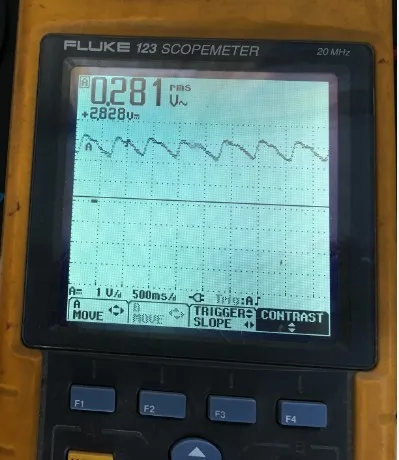
2. Module output: AO output is analog signal, the oscilloscope can directly look at it, if it is processed by single chip, connect one AD analog signal acquisition port, it can collect heart rate data, DO output is pulse signal, high and low level.
3. Output amplitude: The output can be adjusted to reach 1/3 to VCC.
4. This module does not contain a wristband. The old anti-lost wristband can be searched for Taobao.
5. This module only has the code of arduino, and also has the single-chip code.
6.DO output pulse signal is the heartbeat output once high level, the internal comparison of the op amp, need to use potentiometer to adjust.
7. This module can not only measure the wrist, but also measure the fingertips. The fingertip capillary has more signals, which is no different from the 98-pin finger clip.
8. The wristband version of the heart rate measurement module, the heart rate finger-clip sensor measures the heart rate by the penetrating measurement method, and the wristband sensor measures the heart rate through the skin reflection type. Undoubtedly, the sensor output signal is smaller. The measurement is slightly more difficult.
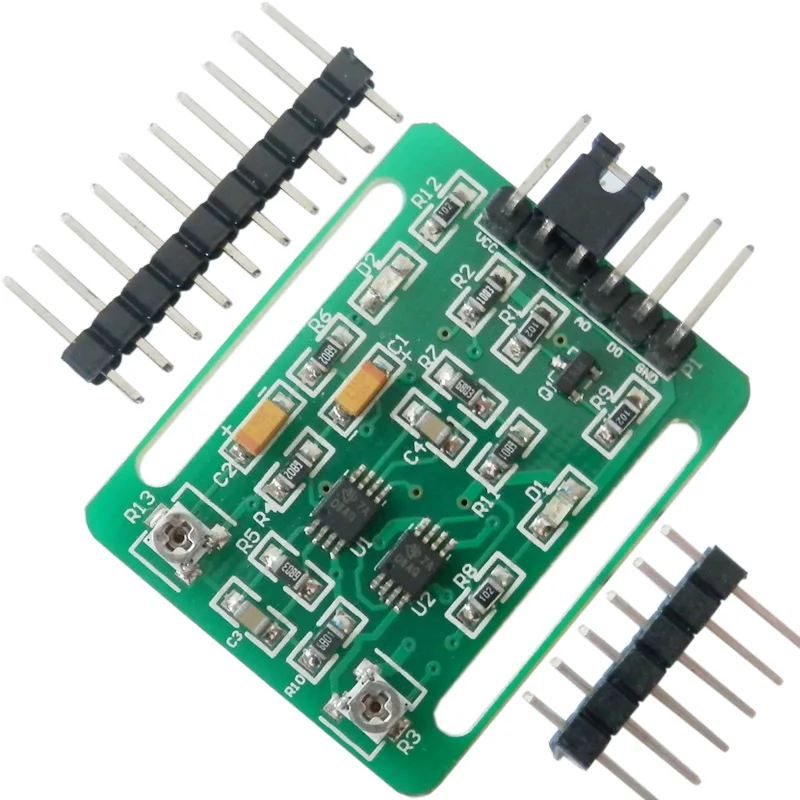
1 * Heart Rate Measurement Module
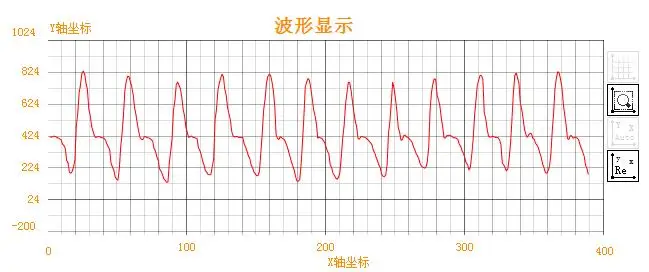
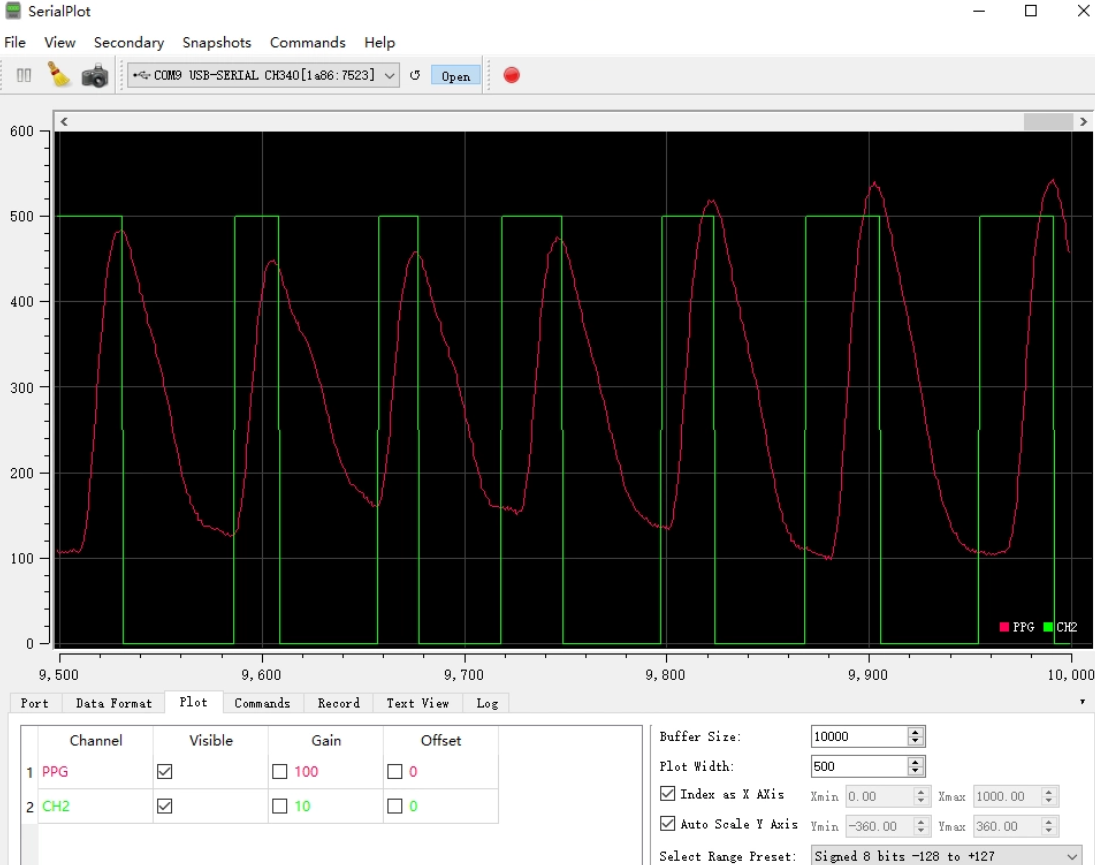
Analog signal measured waveform:
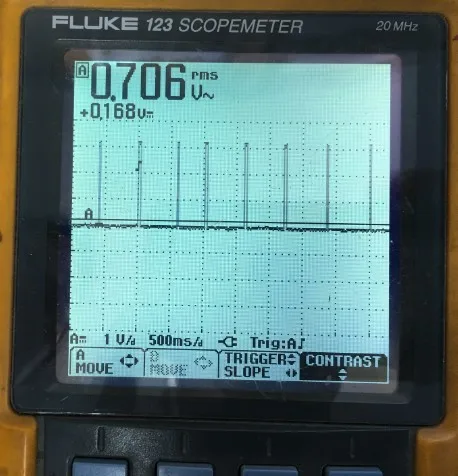
Digital signal output measured waveform:
The digital signal output is essentially a high and low level, and the high-low level is detected by the single-chip microcomputer to realize (usually within 1 minute) pulse rate acquisition. Since the signal has been converted into a digital signal (high and low level), it is not required to go through the ADC conversion circuit to identify the level of the amplitude and is directly detected by the single-chip microcomputer, so the manufacturing cost is saved to some extent.
Computer display interface:
- Unit Type: piece
- Package Weight: 0.02kg (0.04lb.)
- Package Size: 1cm x 1cm x 1cm (0.39in x 0.39in x 0.39in)
PPG Wrist Pulse Sensor Module
The PPG Wrist Pulse Sensor Module is a compact photoplethysmography (PPG) sensor designed for wrist, arm, or finger pulse measurement. It delivers a continuous analog pulse waveform along with a selectable square-wave heart-rate output compatible with common microcontroller platforms.
Operating from a 5V supply, the module consumes under 10mA in typical applications and exposes an XH2.54-4P interface for direct plug-and-play connection to Arduino and STM32 development boards, enabling straightforward integration into wearable prototypes and biofeedback projects.
⚠️ Notes & Precautions:
- This is a static detection sensor. Do not move it randomly or press it too tightly during measurement.
- This product is not a professional medical device and cannot be used as an auxiliary accessory for diagnosis and treatment.
Features
- Uses green-light PPG (PhotoPlethysmoGraphy) for stable, reliable pulse signal acquisition.
- Dual output modes: continuous analog pulse waveform and digital square-wave pulse output.
- Compatible with 5V systems and communicates via an XH2.54-4P connector for easy hookup.
- Low current consumption (<10mA) optimized for battery-powered and wearable applications.
- Dedicated Arduino library “CheezPPG” with 125Hz sampling rate and serial output support for raw, smooth filtered, bandpass filtered, peak detection, HR, and HRV data.
PINOUT
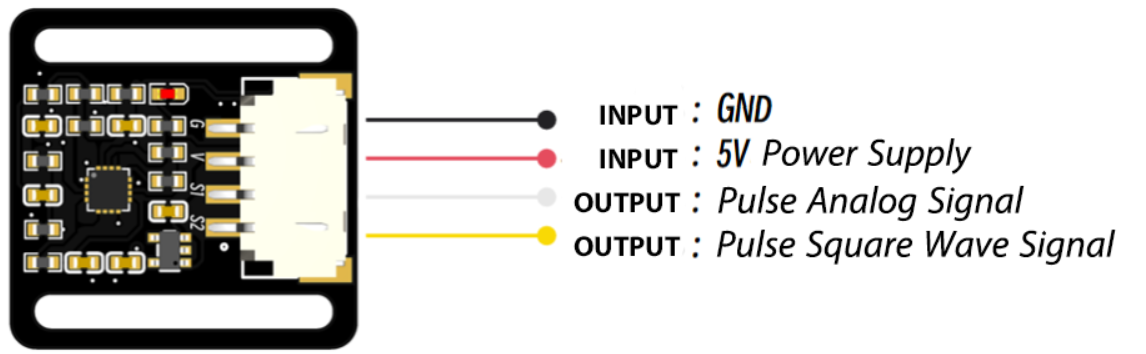
Figure 1: CheezPPG Pinout Mapping Configuration
Specifications
| Parameter | Value |
|---|---|
| Supply Voltage | 5VDC |
| Operating Current | <10mA |
| Analog Output | 0-3.3V |
| Digital Output | 0/3.3V |
| Module Interface | XH2.54-4P |
| Dimensions | 26mm x 26.4mm |
Applications
- Wrist or finger heart-rate monitoring for wearable prototypes and hobby projects.
- Real-time HR and HRV data collection for biofeedback and fitness experiments.
- Integration into health-adjacent prototypes, research demos, and interactive installations.
- Teaching and learning tool for embedded signal processing and PPG fundamentals.
Package Contents
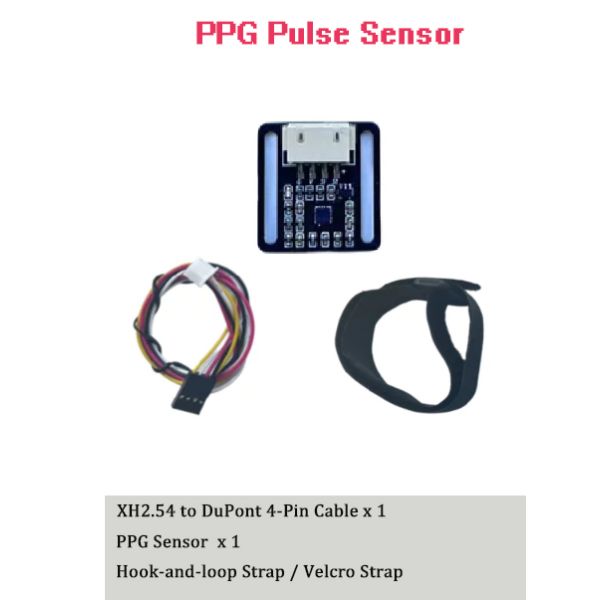
- 1x PPG Wrist Pulse Sensor Module.
- 1x XH2.54-4P to 4-pin Dupont 30cm cable (for Arduino/MCU connection).
- 1x Wrist Strap.
Arduino Tutorial
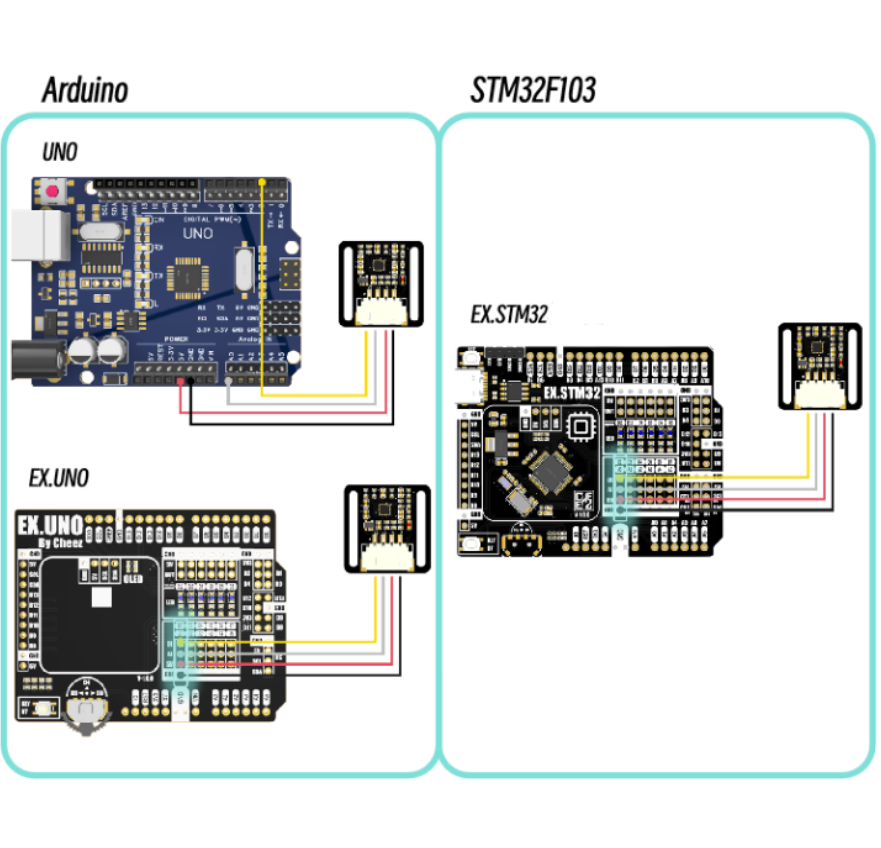
Figure 2: Wiring Guide to Arduino Hardware Platform
Software Requirements:
- Arduino IDE >= 2.3
Sample Code:
/*
Serial output:
        The baud rate is 115200
        Sampling rate: 125Hz

Serial output content (ASCII):
        Raw data, smooth filter data, band pass filter data, heartbeat detection data, heart rate data, HRV (SDNN) data
*/
#include "CheezPPG.h"

#define INPUT_PIN A0    // PPG Pin connected to Analog pin A0
#define SAMPLE_RATE 125

CheezPPG ppg(INPUT_PIN, SAMPLE_RATE);

void setup()
{
  Serial.begin(115200);
  ppg.setWearThreshold(80); // Set the wearing threshold. If wearing detection is not required, it can be set to -1
}

void loop()
{
  if (ppg.checkSampleInterval())
  {
    ppg.ppgProcess();
    Serial.println(
      String((int)ppg.getRawPPG())    + "," +  // Raw data
      String((int)ppg.getAvgPPG())    + "," +  // Smooth filter data
      String((int)ppg.getFilterPPG()) + "," +  // Bandpass filtered data
      String((int)ppg.getPpgPeak())   + "," +  // Heartbeat detection data
      String((int)ppg.getPpgHr())     + "," +  // Heart rate data
      String((int)ppg.getPpgHrv())             // HRV(SDNN) data
    );
  }
}
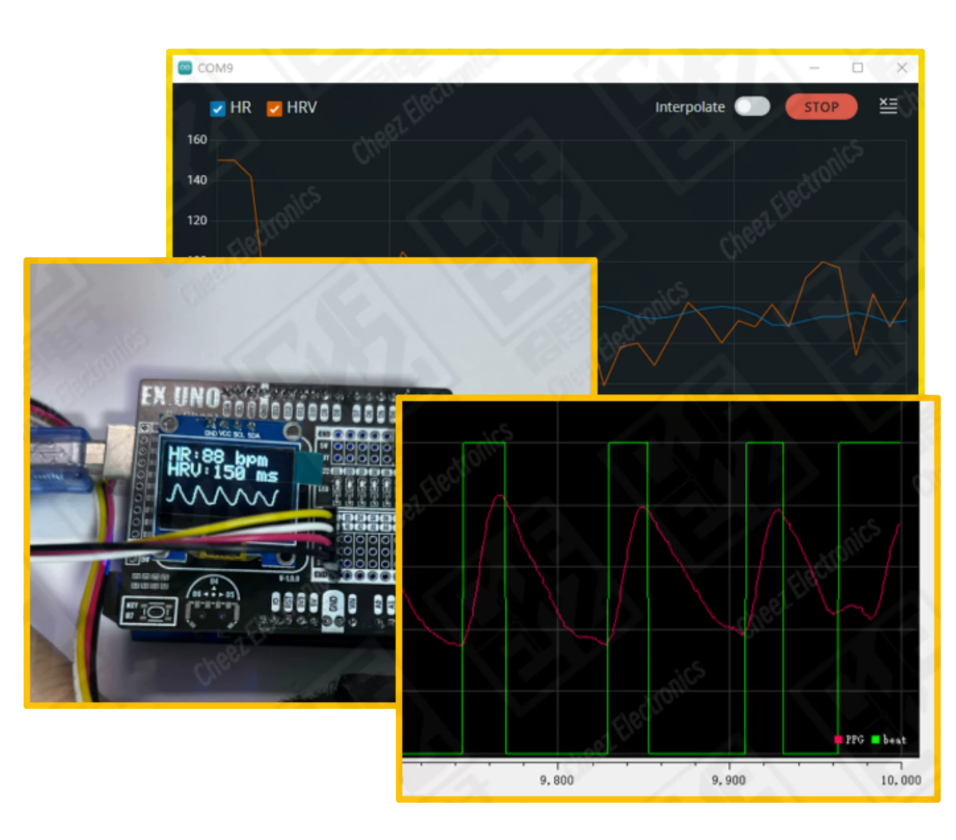
You can view the dynamic experimental results in real-time through the “Serial Plotter” feature built inside the Arduino IDE.
Write Your Own Review
Discover More Products from Its Parent Categories: